Use case · AI project management tool
AI project management: the agent plans and delivers, you decide.
featureloom is a plan board you connect your own Claude Code, Codex or Cursor to. Here the AI agent creates epics, writes plans and takes them in order, and you decide what it may do. On the kanban board you see where every plan stands and accept the work.
The agents run on your team’s computers and connect to the board over a remote MCP server: https://mcp.featureloom.com/mcp. Each person has up to 10 consoles at once, and a console acts with its person’s rights.
Planning
The agent breaks the work down. You set what comes sooner.
Epics and plans from your material
Give the agent your material, such as notes, a meeting transcript saved as a file or a description of a need, and send the command with the Planner prompt. The prompt tells the agent to create an epic for each topic that has none, write the plans in the project’s template and file each plan under its epic. Each plan should be one piece of work with acceptance criteria that one agent session delivers whole.
- The prompt tells the agent to check which plans and epics are already on the board, so it does not duplicate them
- At the end it asks for a list of the plans created, by key and name
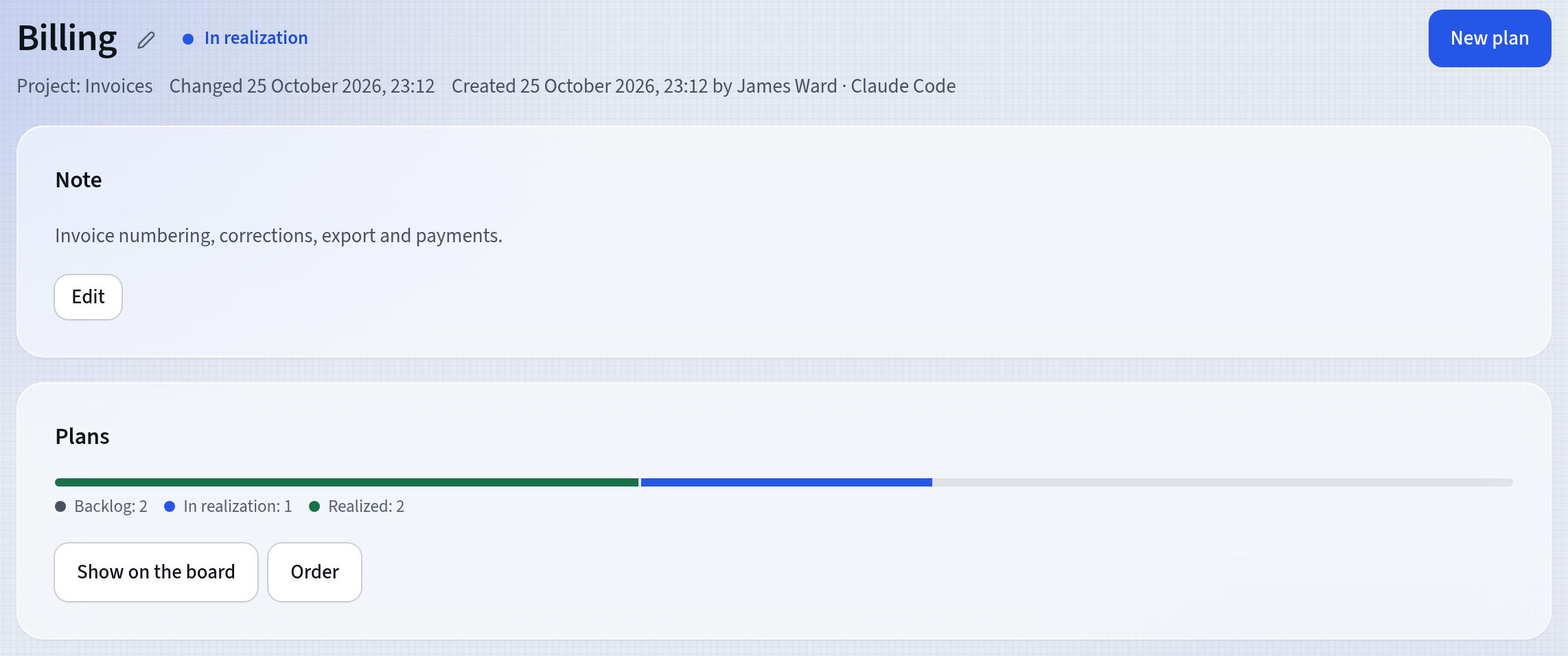
- For an epic, Order shows what is ready to start and what waits on those plans
Dependencies set the order
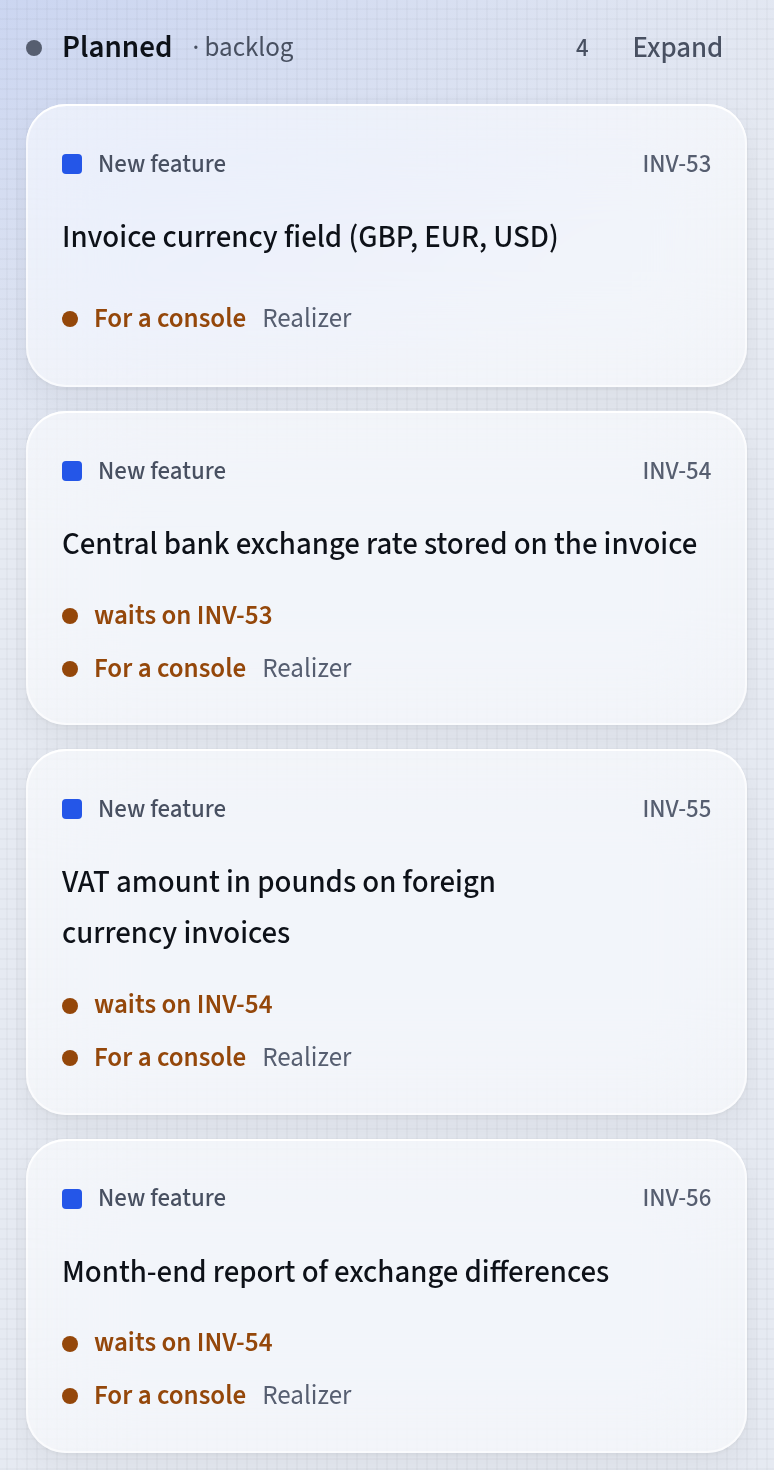
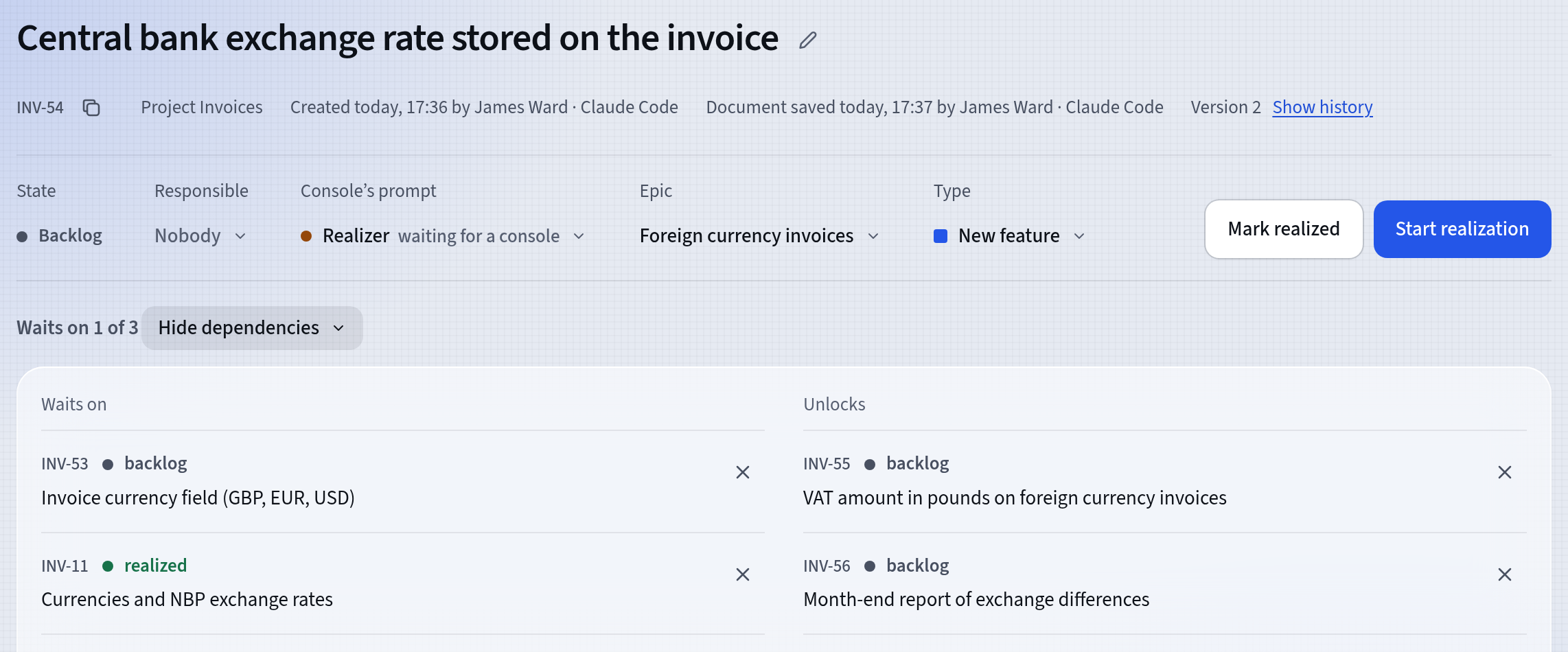
The agent records what waits on what as dependencies. When an agent asks featureloom for the next plan, it gets the next plan in board order from the column marked backlog that waits on nothing. A card you drag higher in that column is taken sooner.
- The plan’s screen shows what it waits on and what it unlocks
- featureloom refuses a dependency that would make two plans wait on each other
- The agent chooses neither the column nor the card’s position
How you start
A project run with AI agents in three steps.
Hand over your material
Save your notes, a meeting transcript or a description of a need as a file in the folder where you start your agent. Send the command with the Planner prompt, then name the file and the project.
Check the plans and the order
Read the new plans on the board and change what you need with Edit. On an epic’s screen, Order shows what is ready to start and what comes after it. In the column marked backlog, drag a plan higher to have it taken sooner.
Let the agents deliver
Send the command with the Realizer prompt, without a plan key. The agent takes the next ready plan, delivers it and reports it, and you accept the work in the Acceptance section.
Before you start, connect your agent: in the app, open Integrations, press Connect console on the Your consoles card and choose Claude Code, Codex or Cursor.
Tutorial: Your agent realizes a plan from the boardControl
You see what the agents do. You decide what is done.
The board shows what waits for you
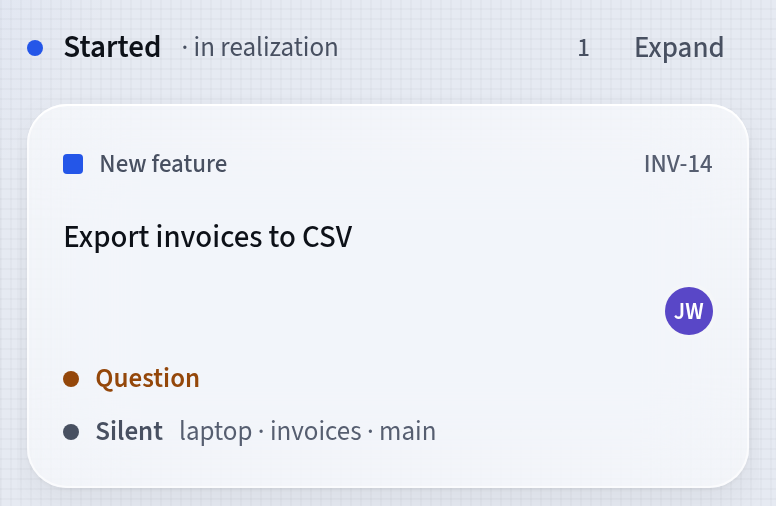
When an agent takes a plan on, its card moves to the column marked in realization and shows who is working on it. When the plan leaves something open, the agent asks in the plan instead of guessing, and the card shows Question until you answer on the plan’s screen. Reports show what was delivered and accepted and who did it, counted from the board with nothing to set up.
- A console acts with its person’s rights, and the server refuses whatever they do not allow
- Realizes plans and Writes plans are separate rights that an administrator grants on the People screen
- Every member sees the reports, and an administrator also sees the cost of featureloom’s AI model
A person accepts the work
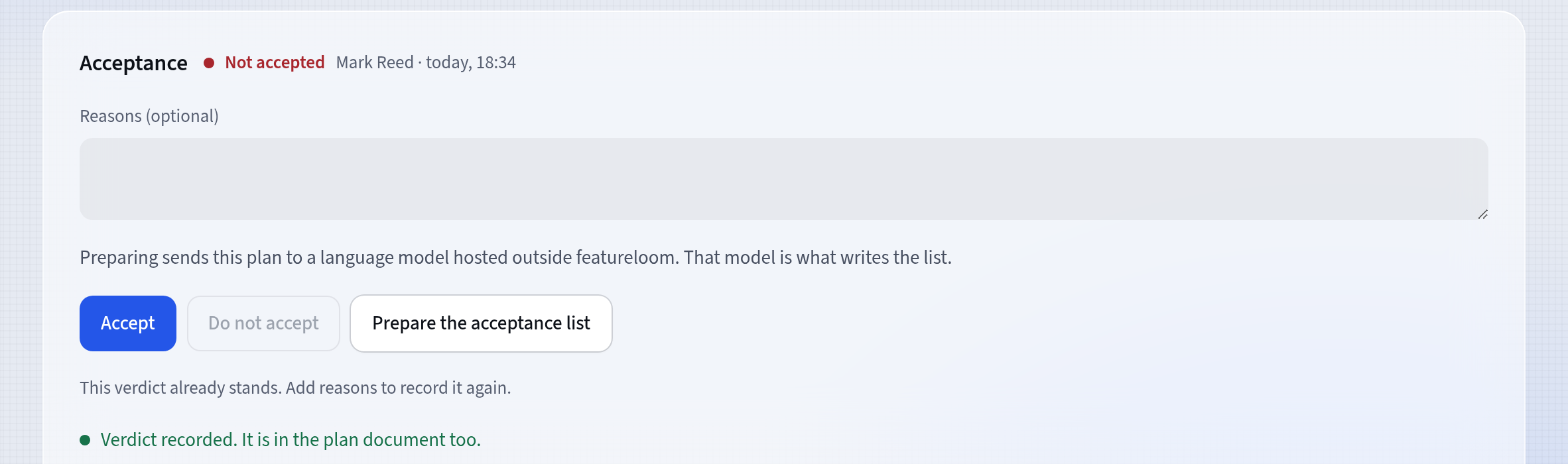
A delivered plan waits for a person’s verdict in the Acceptance section. You press Accept or Do not accept and can add your reasons. The verdict stays in the plan with who decided and when, and the plan document gets it too, with your reasons. The server refuses a verdict sent from a console. After Do not accept, the agent that did the work can take the plan back for rework.
- Reports count what was accepted and what was not, week by week
- New versions record who saved them: a person, a console or an automation
- A plan keeps its last 100 versions, and you can restore any of them
Questions about AI project management
What is an AI project management tool?
A tool in which AI takes on part of the project management work, such as breaking work down, writing tasks and keeping them in order. In featureloom that work is done by your own AI agent connected to a plan board: it creates epics, writes plans and takes them in order, and a person accepts the work.
Does featureloom run the AI agents?
No. Claude Code, Codex and Cursor run on your computers, and you pay for them with their providers. featureloom gives them plans and prompts over MCP and shows their work on the board.
What does the agent leave to people?
The agent chooses neither the column nor the card’s position, does not change the plan template and does not give the acceptance verdict. It does what its person’s rights allow, and an administrator changes those rights on the People screen.
Can I start from a specification?
Yes. Hand the agent your specification as a file and send the command with the Planner prompt: it writes plans from it in your project’s template. The Spec-driven development with Claude Code page shows the way from a spec to accepted work.
Let the agents plan and deliver. Keep the decisions.
30 days free, no payment card needed. You connect your own agents, and their work shows on one board.