Agents and consoles · step 4 of 8
The agent’s questions and your answers
When the plan doesn’t settle something, your agent asks a question in the plan, and you answer on the plan’s screen. The question and the answer stay in the plan document, so nothing has to be settled on the side.
 Play the film: The agent’s questions and your answers
Contents
Your agent asks instead of guessing
The Realizer prompt tells your agent not to guess: when the plan doesn’t settle something, the agent asks a question in the plan. It can do that only while the plan is in realization.
The question goes into the plan document. If your organization has Slack connected and the A plan gets a question notification turned on, the question also goes to the channel.
A question comes from a console with the Realizes plans right or from an automation with that right.
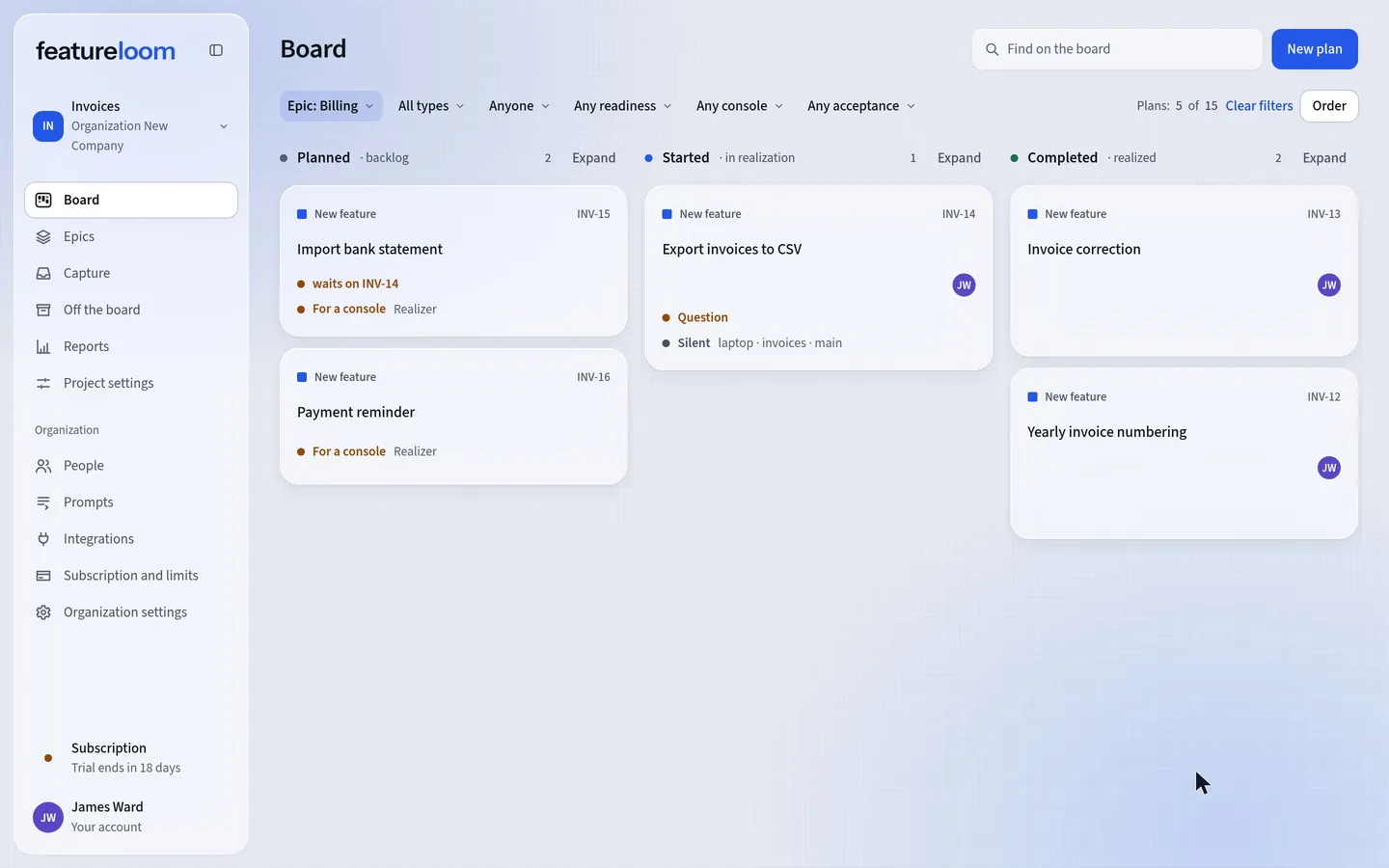
See the question on the board
When a plan in realization has a question nobody has answered, its card shows Question. With several questions it shows Questions and how many.
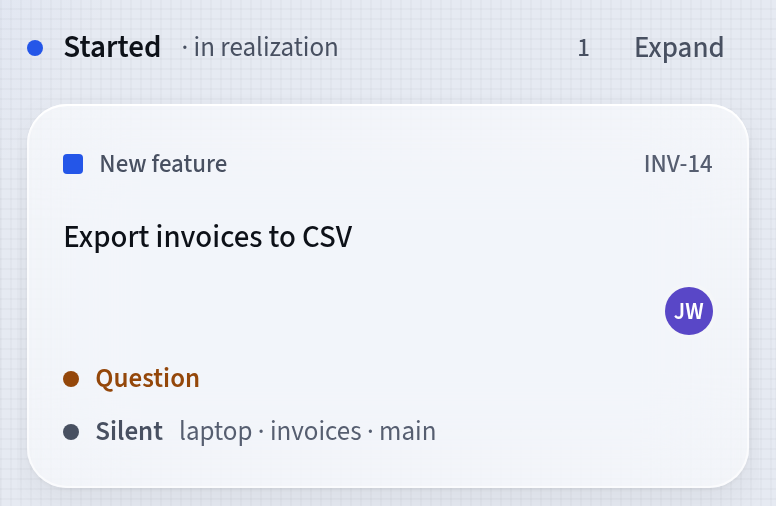
A question on a plan’s card Answer on the plan’s screen
Open the plan. Above the document you see the question under a heading, A question from a console for example, or the Questions part when there are several. Each question shows who asked it and when, with its words below.
Type your answer in the Your answer field and press Answer. The answer is recorded in the plan document too.
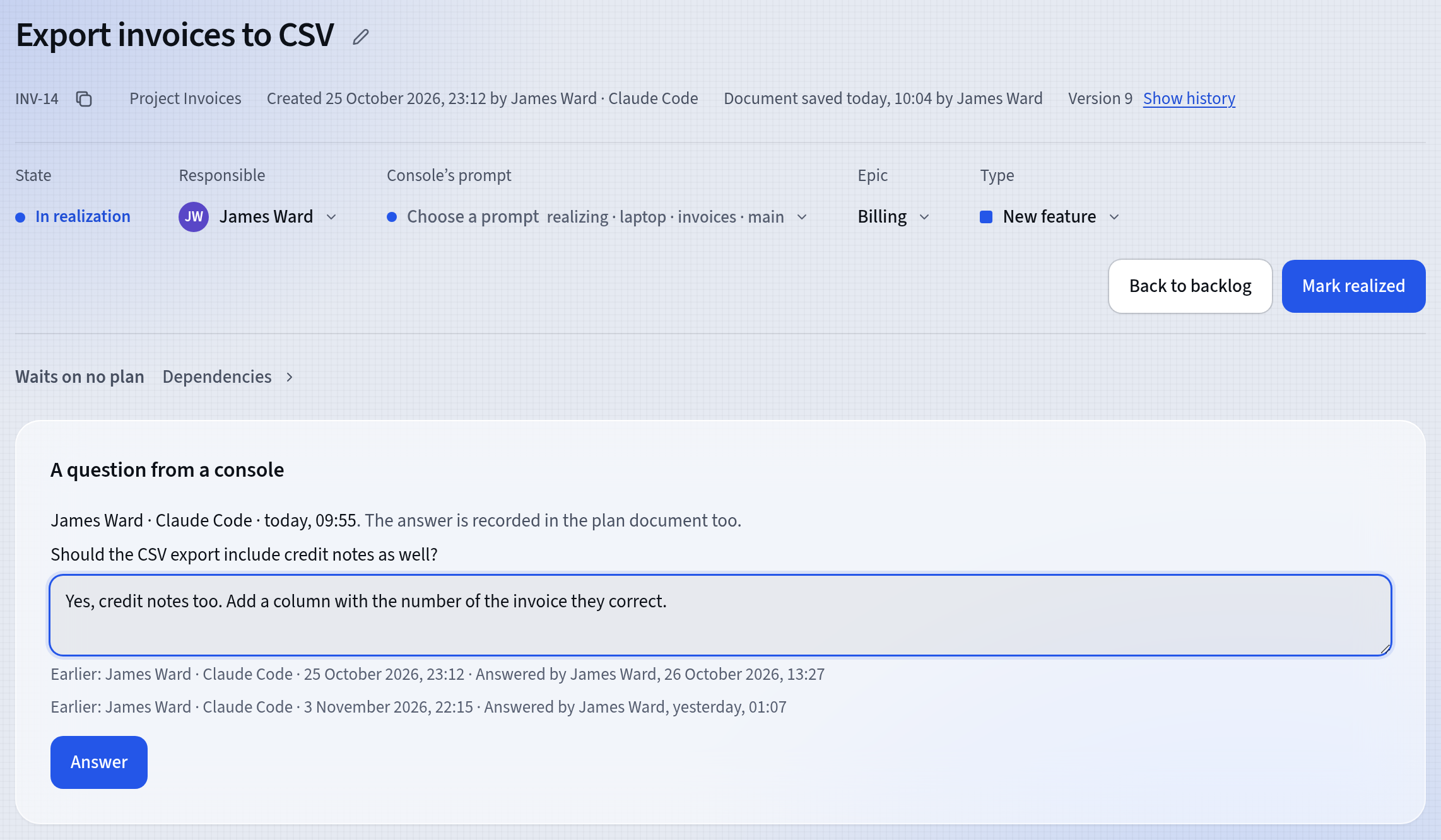
Answering a console’s question Each question can be answered only once.
Your agent reads the answer in the plan
featureloom doesn’t send the answer to the console. Your agent reads it in the plan document when it fetches the plan again.
If your agent is still working in the console, tell it the answer is in the plan.
Good to know
- An unanswered question blocks nothing: the plan stays in its column, and your agent can keep working.
- Anyone in the organization can answer, but only in the app: consoles and automations don’t answer questions.
- You can answer even when the plan is already realized: the question stays on the plan’s screen until somebody answers it.
- In the plan document the question and the answer are separate parts with a date, so everybody who reads the plan sees the whole conversation.
Updated: November 6, 2026
Next
Connect Cursor with a secret on a computer with no browser
Working on a computer with no browser? Connect Cursor with the entry with the secret.
See the tutorial