Use case · Claude Code planning workflow
Just you and Claude Code: you decide, the agent delivers.
You work on your own and write code with Claude Code. Instead of notes you have plans on a kanban board: Claude Code takes the next ready plan together with a role prompt, delivers it and reports it, and you accept the work or send it back for rework.
Claude Code runs on your computer, paid for with your provider. It connects to the board over a remote MCP server: https://mcp.featureloom.com/mcp. You have up to 10 consoles at once.
Plans on the board
You write down in a plan what the agent should do.
A plan is a document on the board
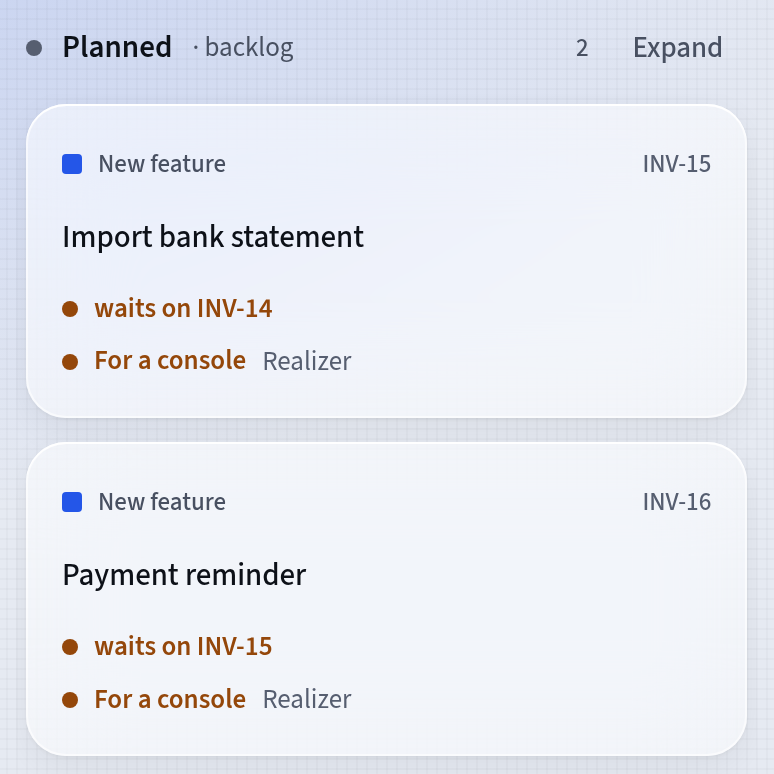
You write each piece of work down as a plan: a markdown document the agent gets whole. You write the plan yourself, or you send the command with the Planner prompt in Claude Code and paste your notes. From them the agent creates epics and plans following the project’s template, in the column marked backlog.
- The Waits on… dependency says which plan must be delivered before another
- The agent with the Planner prompt also records what waits on what
- A plan keeps its last 100 versions, and you can restore any of them
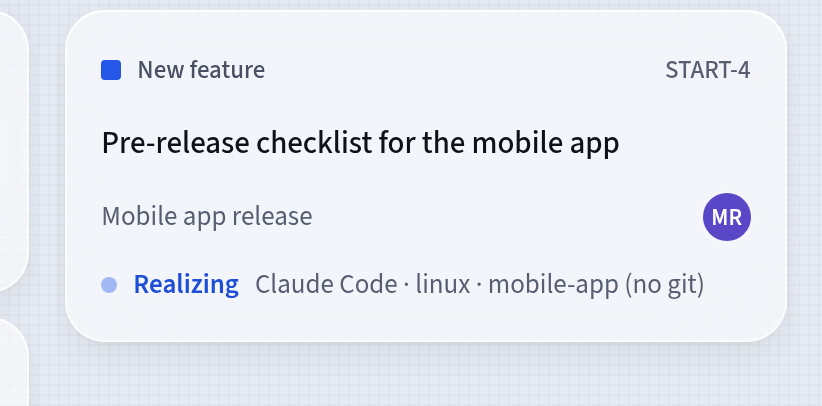
Claude Code takes the next ready plan
The command featureloom realizer without a plan key tells the agent to ask featureloom for the next plan. The agent gets the next plan in board order from the column marked backlog, one that waits on nothing. With a key, such as featureloom realizer INV-15, the agent gets in one call the prompt, the whole plan and the documents of the delivered plans it directly depends on.
- The plan’s card moves to the column marked in realization and shows which console is working on it
- When the plan is missing something, the agent asks a question, and you answer in the app
- At the end the agent adds a note: what it did, and what it did differently from the plan
How you start
From notes to acceptance in three steps.
Connect Claude Code
In the app, open Integrations, press Connect console on the Your consoles card and choose Claude Code. Copy the connect command with the Copy button and paste it in your ordinary system terminal, not in the Claude Code window.
Turn your notes into plans
Start Claude Code in your project’s folder and send the command with the Planner prompt. When the agent asks what you need, paste your notes: it creates plans from them on your board.
Give the agent the next plan
Send the command with the Realizer prompt, without a plan key. The agent takes the next ready plan, delivers it and reports it, and you press Accept or Do not accept in the Acceptance section.
Every new organization has the Planner and Realizer prompts. You find them under Prompts in the menu, and you can change them.
Tutorial: Connect Claude Code with one commandAcceptance
The agent reports the work. You decide whether it is done.
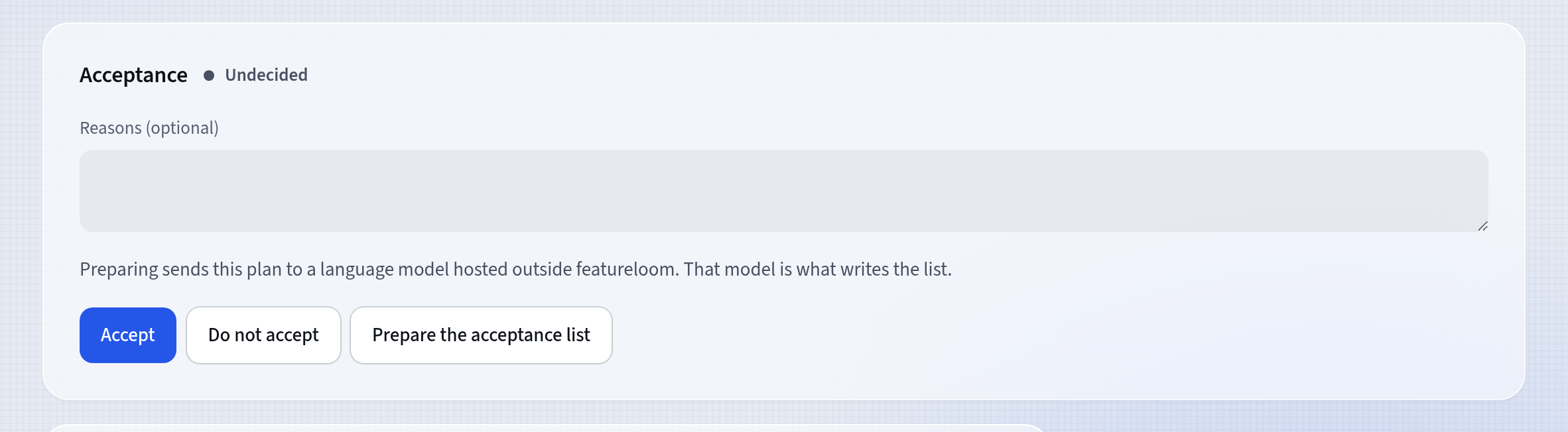
Accept or Do not accept
A delivered plan waits for your verdict in the Acceptance section. You press Accept or Do not accept and can add your reasons. When you paste the same Command for a console into Claude Code after a rejection, the agent reads the verdict, takes the plan back and reports the rework. The verdict is a person’s, given in the app, never a console’s.
- The verdict stays in the plan with the reasons, the date and the person who decided
- Reports show what was delivered and accepted, week by week
- As an administrator you can download the whole organization as one ZIP file
Questions about working on your own with Claude Code
Why a plan board when I work on my own?
The plan stays on the board when you close the conversation with the agent. The Command for a console gives the next Claude Code session the whole plan, the prompt and the documents of the delivered plans it directly depends on. On the board you see what is to be done, what is under way and what waits for your acceptance.
Can I hand Claude Code a whole spec?
Yes. Save the spec as a file in the folder where you start Claude Code and send the command with the Planner prompt: the agent writes plans from it, each with acceptance criteria, and then delivers them plan by plan while the decisions stay with you. This is agentic coding with a written specification. Spec-driven development with Claude Code shows the way from the spec to accepted work.
Which subscription should I choose when I work on my own?
The Solo plan is for one person. On it you connect agents at no extra cost, up to 10 consoles at once, and for jobs on a server you have one automation. Prices and the other plans are on the pricing page.
What if the agent’s work doesn’t convince me?
Press Do not accept and add your reasons. Then paste the same Command for a console into Claude Code: the agent reads the verdict, takes the plan back and reports the rework. The verdict is a person’s, given in the app, never a console’s.
Can I work with Claude Code and Codex at once?
Yes. You connect Codex the same way, with its own connect command from the app, and both consoles take plans from the same board. When both reach for the same plan, just one of them takes it on, and the other is refused with the name of the one working on it. You have up to 10 consoles at once.
Start with one plan and one console.
30 days free, no payment card needed.